

You probably landed here because you own an Android phone and spotted an AirTag, or vice versa. You want to know if these two things can work together. It is a completely fair question, and the answer has a few layers to it.

An Apple AirTag and an Android phone are not really built for each other. But that does not mean your options run out. Let’s go through all of this properly.
What Is an Apple AirTag Anyway?
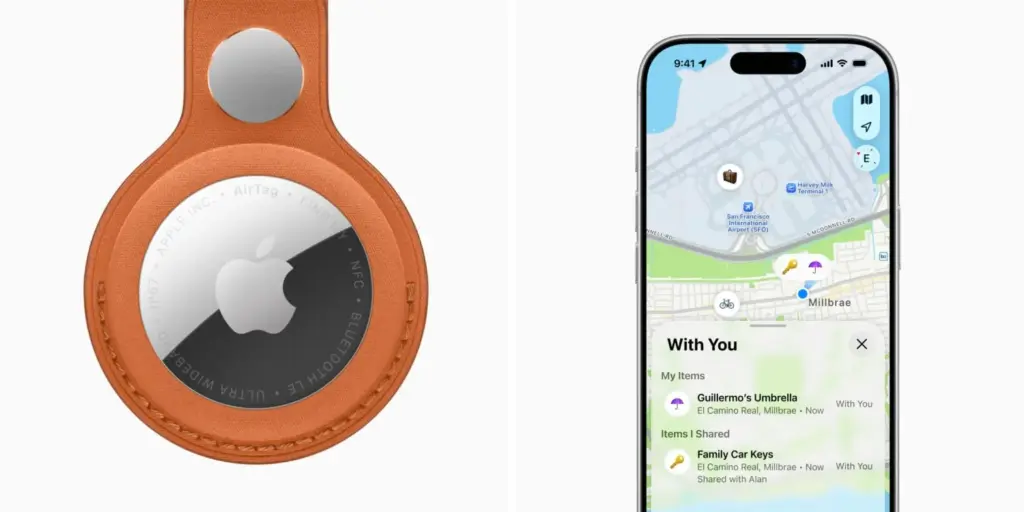
An Apple AirTag is a small, round tracking device made by Apple. It is roughly the size of a large button. You attach it to things you do not want to lose, like your keys, your bag, your wallet, or your luggage. When you cannot find that item, you open the Find My app on your iPhone and it shows you where the AirTag is.
AirTags work by sending out Bluetooth Low Energy signals for proximity detection and tapping into Apple’s massive Find My network for location tracking. That network is made up of hundreds of millions of Apple devices around the world. Whenever any Apple device is near your AirTag, it silently picks up the signal and reports the location back to you, privately and anonymously. That is why AirTags can find lost items even if your item is far away from you.
The problem starts when you take Apple out of the equation.
So, Can an Android Phone Use an Apple AirTag?
No. Not in any meaningful way. Apple designed AirTags to work exclusively within the Apple ecosystem. An AirTag cannot be set up, configured, or paired using an Android device. The initial setup requires an iPhone or iPad running the Find My app.
This is not a glitch or a missing feature that might get fixed in an update. It is a deliberate design choice. Apple built AirTags to live inside their own world. If you do not have an iPhone or iPad, an AirTag is basically a decorative puck.
Android devices can detect AirTags via Bluetooth, but they lack native support for the advanced features offered by the Find My network, such as precise location tracking and seamless setup.
Think of it this way. The AirTag is like a key. The Find My app on iPhone is the lock it fits. An Android phone is a different lock entirely, and no amount of trying will make that key turn.
What Can an Android Phone Actually Do with an AirTag?
Almost nothing for tracking purposes. But there are two limited things Android can do.
Scanning a Lost AirTag with NFC
If you physically find an AirTag on the ground or on a lost item, and that AirTag has been put into Lost Mode by its owner, you can tap the back of it with an NFC-enabled Android phone. If the AirTag is in Lost Mode, this will pull up a webpage with information on how to return it to the owner. You cannot track the item yourself through this. You are just reading a contact card. Still useful if you find someone’s lost bag, but not useful for your own tracking needs.
Getting an Alert That an AirTag Is Following You
This one is actually important for safety. The only thing an Android phone can do with AirTags is be notified if one that you do not own is tracking you. Apple released an app called Tracker Detect specifically for this. The app scans for AirTags separated from their owner and moving with you. If detected, you can play a sound to locate the device.
So if someone secretly slips an AirTag into your bag to track your movements without your knowledge, your Android phone can warn you about it. That is a genuine safety feature, not a workaround for using AirTags to track your own things.
The Workaround People Try (and Why It Falls Apart)
Some people online suggest a workaround: borrow an iPhone, set up an AirTag on that iPhone using your Apple ID, and then check the location from your own phone. This workaround has significant limitations. You need physical access to an Apple device logged into an Apple ID.
After setup, the iPhone owner can see the item’s location in their Find My app, and you would need to ask them to share location updates with you manually via text message or another messaging app.
That is not tracking. That is calling someone and asking them to look something up for you. It defeats the whole point of having a tracker in your pocket.
Why Apple Built It This Way?
AirTags primarily rely on Apple’s proprietary Find My network, which is only accessible on Apple devices. While AirTags with Android can technically be detected through Bluetooth, they cannot tap into Apple’s crowd-sourced location network, which means there is no real-time tracking or location history available.
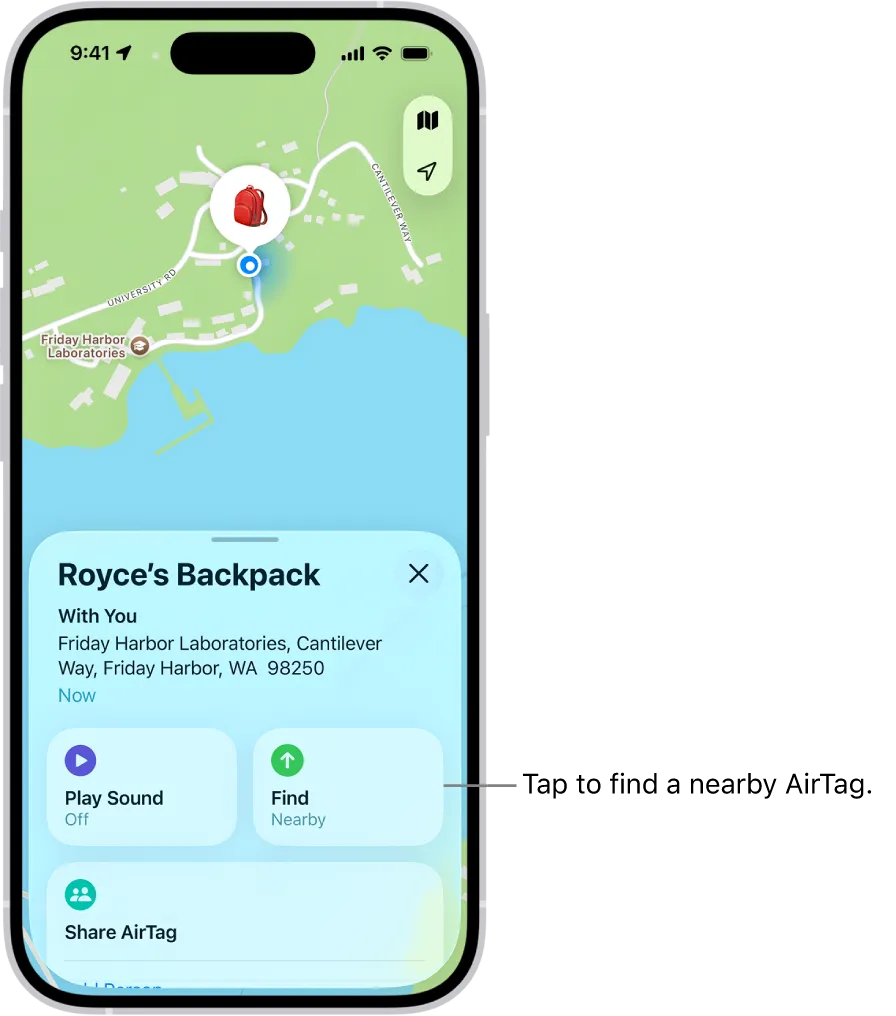
Apple built a network over many years. Every iPhone, iPad, and Mac running Find My is silently participating in it. That is the engine that makes AirTags so good at finding lost things.
An Android phone is not part of that network at all. It cannot receive location pings from nearby AirTags, cannot relay location data, and cannot display anything on a map.
It is not that Android is inferior. It is just that this specific network was built by Apple, for Apple devices. Full stop.
What About Using iPhone to track with an AirTag? Does That Work Perfectly?
Yes, on iPhone everything works as intended. You pair the AirTag by simply bringing it close to your iPhone. A popup appears. You name it, attach it to your item, and from that point on the Find My app shows its location. If the item is nearby, you can play a sound to find it. If it is farther away, the crowdsourced network locates it for you.
AirTags are specifically optimized to work seamlessly with Apple devices running iOS 14.5 or later. That is the requirement. If your iPhone runs iOS 14.5 or anything newer, AirTag setup takes about 60 seconds and just works.
So the AirTag plus iPhone combination is genuinely excellent. The problem only exists for Android users who want to use an AirTag.
The Real Solution for Android Users: Android Airtag
If you are on Android and need a tracker that actually works from your phone, there is a purpose-built option called Android Airtag.
Android Airtag is the ultimate tracking solution built natively for Android but also works with iOS and other operating systems, including macOS and Windows. That last part is important. Most trackers pick a side. This one genuinely does not care what device you use.
Android Airtag connects to a global GPS network, so it is not limited by Bluetooth range. It does not matter whether your bag is in the next room or on the other side of the city. The location updates in real time, not every few hours, and not just a vague approximation.
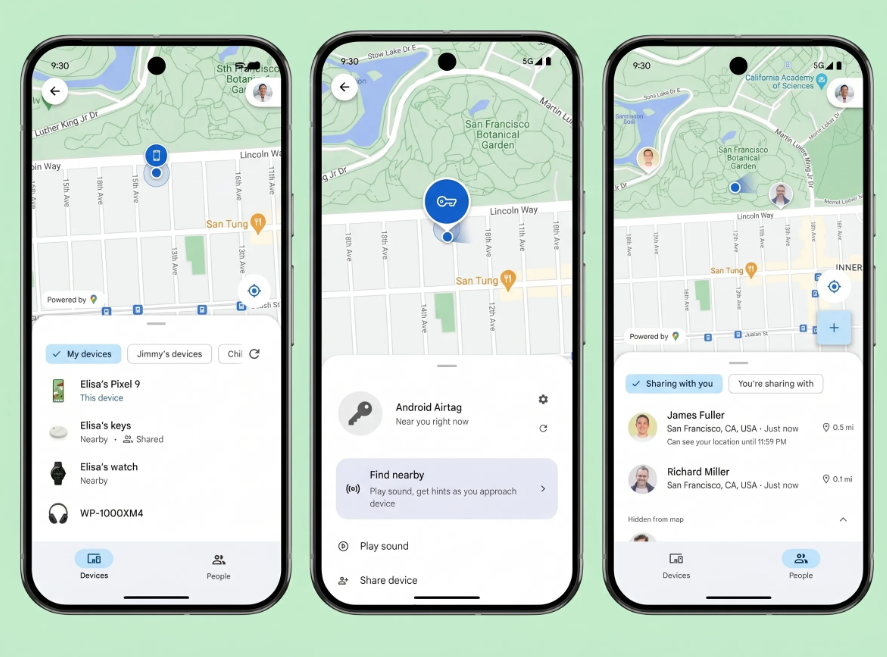
Setting it up on Android takes only a few steps. You download Google’s Find Hub app, turn on Scan for Nearby Devices, get a popup on your screen, tap Connect, and you can then name the device and set rules for it.
For iPhone users, you open the Apple Find My app, tap Add Item, select Android Airtag, give it a name, and you are done. Both setups take under two minutes.
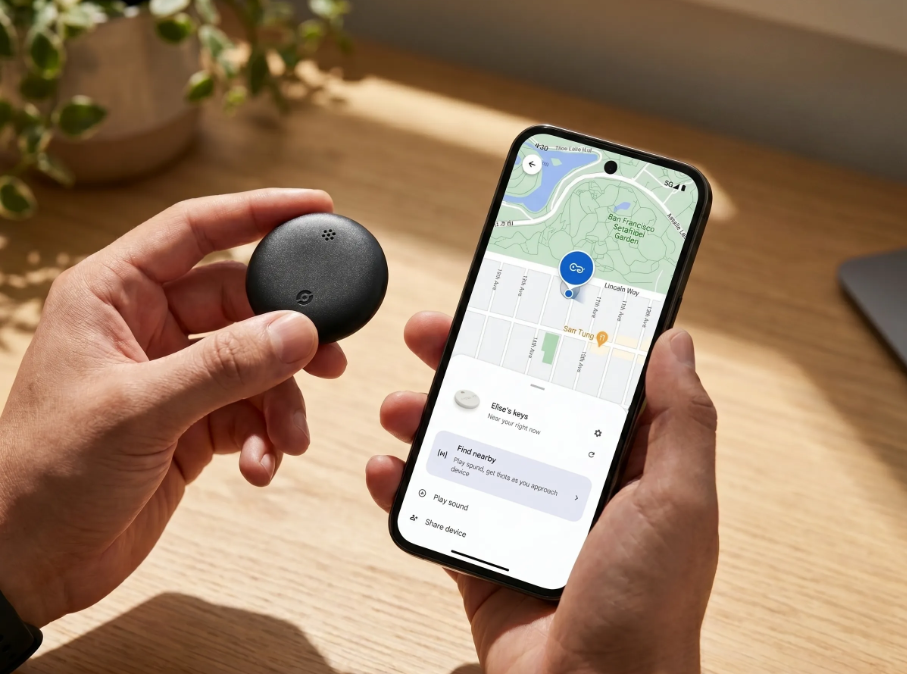
A few things that stand out about it:
It weighs 11 grams, so you will not notice it is attached to your keys or tucked in a bag pocket.
The built-in speaker reaches 75 decibels, loud enough to find it under a pile of clothes.
You can set a geofence around anything you want to stay put. The moment that item moves beyond the boundary you have set, you get a notification. It is the kind of feature that changes how relaxed you feel leaving things behind at a hotel, parking your bike outside, or sending your kid to school with a tagged bag.
The battery runs on a standard CR2032, the kind of battery you can pick up anywhere in the world. You swap it in seconds with no specialist tools, no sending the device back, no buying a replacement unit. And it comes with an IP67 rating, meaning it is completely fine when caught in rain, dropped in a puddle, or buried at the bottom of a bag with a leaky water bottle.
There is no subscription. You buy it once and it works for as long as you need it to. It is priced low and ships worldwide with free shipping on all orders.
This is genuinely what the AirTag should have been for everyone who is not in the Apple ecosystem. It solves the exact problem that Apple created by locking AirTags to iOS.
Apple AirTag vs Android Airtag
Here is a simple comparison so you can see the difference at a glance.
Apple AirTag: Works with iPhone and iPad only. Requires iOS 14.5 or later. Uses the Find My network. Cannot be set up on Android. Very accurate location tracking for Apple users. No GPS chip, relies entirely on other Apple devices nearby. No subscription needed.
Android Airtag: Works with Android, iOS, macOS, and Windows. Has a real GPS chip with no distance limits. No subscription. IP67 waterproof. Replaceable CR2032 battery lasting 6 to 12 months. Geofencing alerts. 75dB speaker for ringing. No dependency on any other brand’s network.
If you own an iPhone, the Apple AirTag works great for you. If you own an Android phone, or if anyone in your household might need to track the item from a non-Apple device, Android Airtag is the far more practical choice.
Frequently Asked Questions
Can I set up an Apple AirTag with my Android phone?
No. An AirTag cannot be set up, configured, or paired using an Android device. The initial setup requires an iPhone or iPad with the Find My app. Without an Apple device, an AirTag is not functional as a tracker.
I found an AirTag. What can I do with my Android phone?
You can use your Android phone’s NFC feature to scan the AirTag. If the owner placed it in Lost Mode, tapping it will pull up a webpage with the owner’s contact information so you can return it.
Can someone track me with an AirTag even if I have Android?
Yes, it is technically possible for someone to place an AirTag near you. But your Android phone can protect you. Apple released an Android app called Tracker Detect specifically for scanning unwanted AirTags that may be tracking you. It scans for AirTags separated from their owner and moving with you, and if detected, you can play a sound to locate the device.
Is there a good AirTag that works with Android phones?
Yes. Android Airtag at androidairtag.com is built natively for Android and also works with iOS. It uses real-time GPS with no distance limits and comes with geofencing alerts, a 75dB speaker, IP67 waterproofing, and a replaceable battery with no subscription required.
Does Android Airtag work with iPhone too?
Yes. Android Airtag works with Android and Apple iOS, as well as macOS and Windows. It is not restricted to any single operating system.
What does IP67 mean on a tracker?
IP67 means the device is fully dustproof and can survive being submerged in water up to one meter deep for up to 30 minutes. For a small tracker that lives in bags and on keychains, that kind of protection matters a lot in everyday life.
How far can Android Airtag track something?
There are no distance limits. Whether it is 100 meters or 10,000 kilometers, the tracker uses a global GPS network and works internationally.
Does the Apple AirTag have GPS?
No. AirTags work by sending out Bluetooth Low Energy signals and tapping into Apple’s Find My network. Android devices can pick up on BLE signals from AirTags but cannot connect to the Find My network. This also means that in areas with very few Apple devices around, the AirTag’s location accuracy drops significantly.
Apple AirTag and Android phones were not designed for each other, and no amount of workarounds will change that. If you need a tracker that works with your Android phone today, without borrowing anyone’s iPhone or relying on a rival company’s network, Android Airtag is the direct solution built exactly for that situation.